# Picture Properties Dialog Box
C1Editor control provides Picture Properties Dialog Box that allows to set the properties for an Image such as, file name, alternate text, height, width and more.
## Content
Users can insert and preview a picture using the **Picture Properties** dialog box.
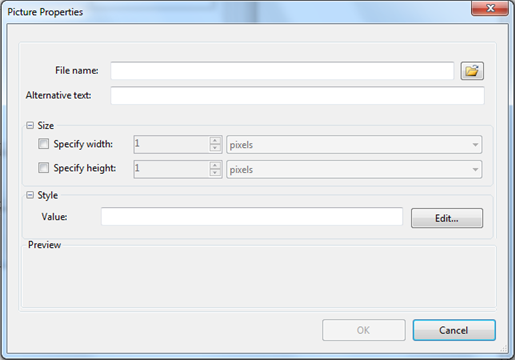
| **File name** | Click the **Browse** button to locate a picture to insert. |
| --- | --- |
| **Alternative text** | Enter the text that should appear in case the image is unavailable. |
### Size
| **Specify width** | Select this checkbox and enter a number to specify the image width. Choose pixels or percent. |
| --- | --- |
| **Specify height** | Select this checkbox and enter a number to specify the image height. Choose pixels or percent. |
### Preview
A preview of the image appears in this area.