# In-Place Text Editing
Get started with Menus and Toolbars for WinForms. Create versatile menus and docking/floating toolbars. See more in documentation here.
## Content
Rather than going through the menu's or toolbar's **Edit** designer or **Properties** window to edit their text you can simply edit their text directly on their control.
To use this feature, perform the following:
1. Select the menu item or toolbar item so it's highlighted.
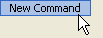
2. Press ENTER.
menu item or toolbar item's text is ready to be edited.

3. Press ENTER again to accept the change or press ESC to cancel the change.
## See Also
[Command Smart Tags](/componentone/docs/win/online-menus-toolbar/designtimesupport/c1commandsmarttags)