# Bookmarks

## Content


List lets you create bookmarks which saves a reference to the current row. This reference remains valid even after another row becomes the current row.

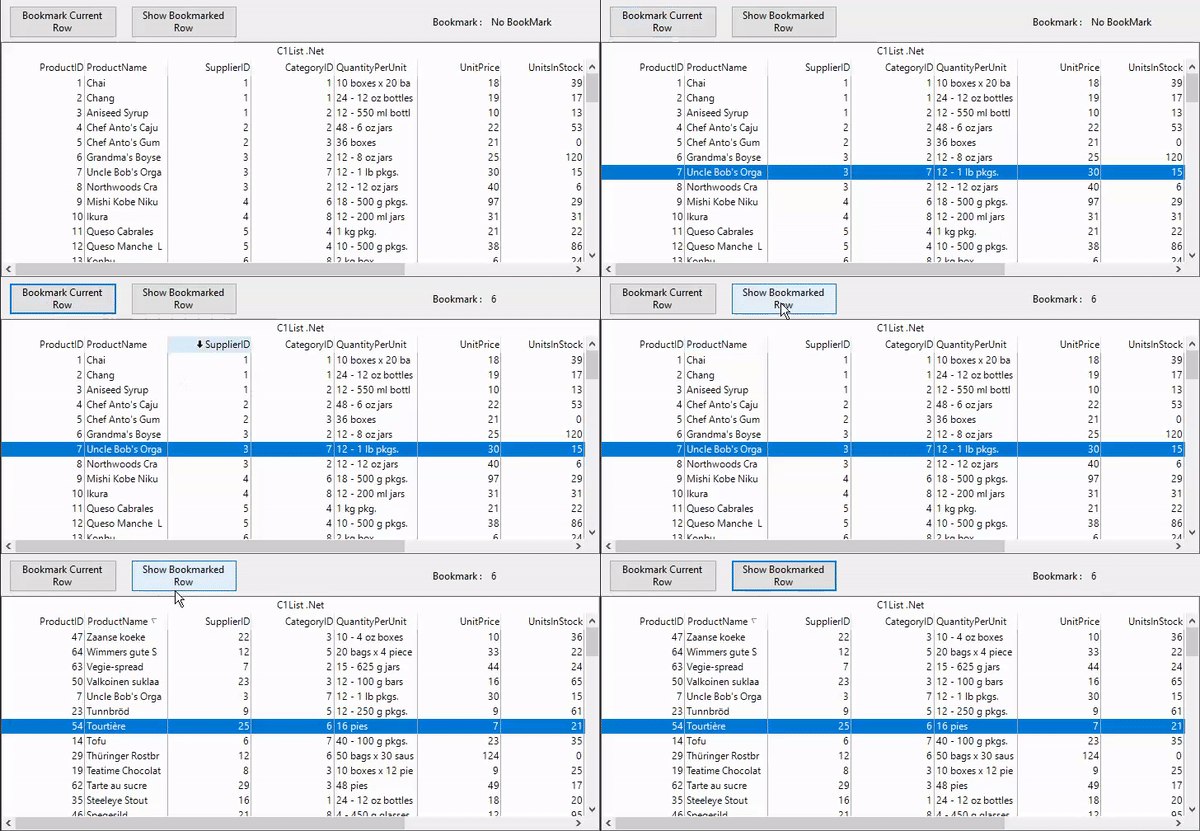
The following GIF shows how you can save a reference to the current row using a bookmark.
![bookmark](https://cdn.mescius.io/document-site-files/images/1e4aa2c8-7f81-4e43-8ed4-f673f1e68381/images/bookmarks.gif)

You can use <span data-popup-content="This property is available in \u003ca href=\u0022/componentone/docs/win/online-list/\u0022\u003e.NET\u003c/a\u003e and \u003ca href=\u0022/componentone/docs/win/online-list/\u0022\u003e.NET Framework\u003c/a\u003e." data-popup-title="Bookmark" data-popup-theme="ui-tooltip-green qtip-green">Bookmark</span> property of the <span data-popup-content="This class is available in \u003ca href=\u0022/componentone/docs/win/online-list/\u0022\u003e.NET\u003c/a\u003e and \u003ca href=\u0022/componentone/docs/win/online-list/\u0022\u003e.NET Framework\u003c/a\u003e." data-popup-title="C1List" data-popup-theme="ui-tooltip-green qtip-green">C1List</span> class to create bookmarks. When you set the **Bookmark** property to a value, the row associated with that value becomes the current row as showcased in the following code.

```csharp
//sets the bookmark
int bookmarkedRow = c1List1.Bookmark;
```