# Add and Remove Components
With InputPanel, adding or removing components from forms sounds like a breeze. Presenting Award-Winning Suite of Controls for .NET Development. Read the documentation to know more.
## Content
## Add InputPanel Components
You can add input components to the InputPanel control through designer or through code.
### Using the Designer
To add an input component to **InputPanel** using the designer:
1. Select the **C1InputPanel** control and click the smart tag to open the **C1InputPanel Tasks** menu.
2. Click the **Add New Item** ComboBox and select an input component from the list of items. In this example, we are adding an **InputImage** component.
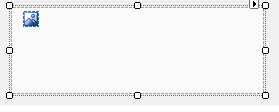
3. Set **Image** property of the InputImage component to display an image and build your project.
### Through Code
1. Create a new instance of C1InputPanel class to add the **InputPanel** control to your form. **csharp**
```csharp
private void Form1_Load(object sender, System.EventArgs e)
{
C1InputPanel NewPanel = new C1InputPanel();
Controls.Add(NewPanel);
}
```
**vbnet**
```vbnet
Private Sub Form1_Load(ByVal sender As System.Object, ByVal e As System.EventArgs) Handles MyBase.Load
Dim NewPanel As New C1InputPanel
Controls.Add(NewPanel)
End Sub
```
2. Create an instance of the InputImage component, specify the source image and use the Add method to add it to the InputPanel control. **csharp**
```csharp
InputImage NewImage = new InputImage();
NewImage.Image = Image.FromFile("[your image location/name]");
NewPanel.Items.Add(NewImage);
```
**vbnet**
```vbnet
Dim NewImage As InputImage = New InputImage
NewImage.Image = Image.FromFile ("[your image location/name]")
NewPanel.Items.Add(NewImage)
```
3. Run the program and observe that your image now appears in the **InputPanel** control.
## Remove InputPanel Components
You can remove an input component from the InputPanel control through designer as well as through code.
At design time, in the form window, you can simply select the control and press **Delete** key to remove an InputPanel component. However, when operating through the **C1InputPanel Item Collection Editor**, use the following steps to remove a component from the InputPanel control.
### Using the Designer
1. Open the **C1InputPanel Item Collection Editor**.
2. In the **Members** pane, select the component you wish to remove and then click the **Remove** button .
3. Click **OK** to close the **C1InputPanel Collection Editor**.
### Through Code
Input components can be removed from input panel using the InputComponentCollection.Remove method. The example below removes an **InputButton** component from the panel.
**csharp**
```csharp
c1InputPanel1.Items.Remove(inputButton1);
```
**vbnet**
```vbnet
c1InputPanel1.Items.Remove(inputButton1)
```
## See Also
[Layout](/componentone/docs/win/online-inputpanel/inputpanellayout)