# Creating a Face Plate
Visually enhance the look of C1Gauge control with the help of a background layer, tick-marks and pointer. See more demos, documentation, and samples here.
## Content
To visually enhance the look of the gauge we need to add a background layer behind our scale, tick-marks and pointer. To do this, we will add shapes to the FaceShapes collection.
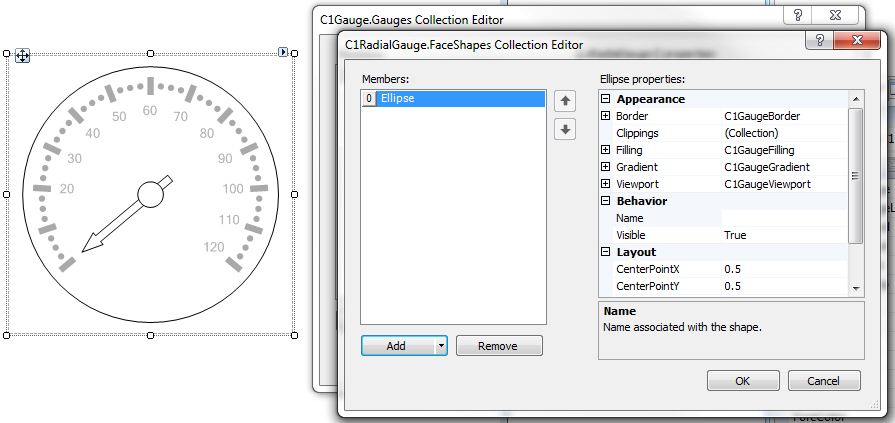
From the FaceShapes collection editor, you will notice we can add a variety of shapes including Ellipses, Rectangles, Sectors, Segments or even our own bitmap images.
1. Click the **ellipsis** button next to the [Gauges](/componentone/docs/win/online-gauges/) property in the Properties window. The **C1Gauge.Gauges Collection Editor** dialog box opens.
2. Click the **ellipsis** button next to the [FaceShapes](/componentone/docs/win/online-gauges/) property. The **C1RadialGauge.FaceShapes Collection Editor** opens.
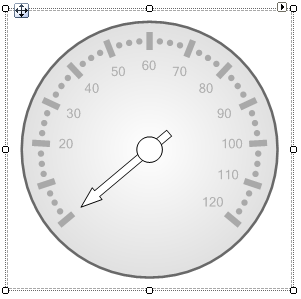
3. Select [C1GaugeEllipse](/componentone/docs/win/online-gauges/) from the **Add** drop-down button. We will style this ellipse by giving it a gradient background and thicker border.
4. Expand **Filling** and set the [Color](/componentone/docs/win/online-gauges/) property to **White** and set the [Color2](/componentone/docs/win/online-gauges/) property to **LightGray**.
5. With **Filling** still expanded, set the **BrushType** property to **Gradient**.
6. To modify the gradient direction, expand **Gradient** and set the [Direction](/componentone/docs/win/online-gauges/) property to **RadialOuter**. You can also set many more gradient related properties under the **Gradient** node.
7. Expand **Border** and set the Color property to **DimGray** and the [Thickness](/componentone/docs/win/online-gauges/) property to **2**.
## See Also
[Creating a More Complex Face](/componentone/docs/win/online-gauges/gaugesforwinformstas/creatingafaceplate/creatingamorecomplex)