# C1Gauge Composition
C1Gauge control includes several layered elements when gauges are placed inside of the control. See more demos, documentation, and samples here.
## Content
The [C1Gauge](/componentone/docs/win/online-gauges/) control is made up of several layered elements when gauges are placed inside of the control. For example, the overall composition of a **C1Gauge** control with a single **C1RadialGauge** is the following (from the backmost to foremost layer):
* The control's **BackColor** and/or the **BackgroundImage** is the most background layer
* **C1Gauge.FaceShapes** is the next layer
* **C1RadialGauge.FaceShapes**
* **C1RadialGauge.Decorators**
* **C1RadialGauge.Pointers**
* **C1RadialGauge.Cap**
* **C1RadialGauge.CoverShapes**
* **C1Gauge.CoverShapes** is over everything.
Let’s take a look at the composition of a simple radial gauge (see the ’Interactive’ sample in the GaugeDemo application for more details). The following images show a few states of the whole gauge.
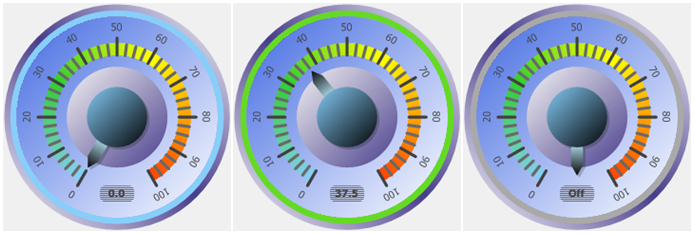
This gauge consists of the following parts: face shapes, decorators, pointer, and pointer cap.
Face shapes are the background of a gauge.
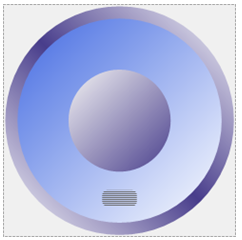
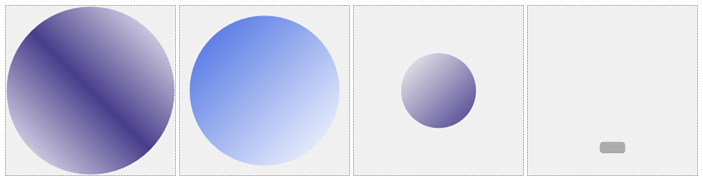
There are four shapes: three ellipses (**C1GaugeEllipse**) and a rectangle with rounded corners (**C1GaugeRectangle**).
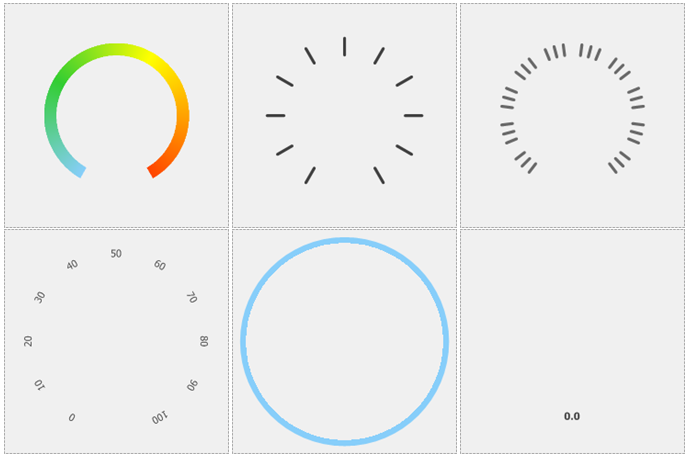
Decorators show the scale ranges, markers, and labels.
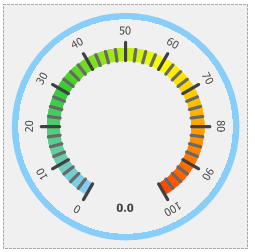
This gauge contains a range (**C1GaugeRange**), major and minor markers (**C1GaugeMarks**), scale labels (**C1GaugeLabels**), the bound state mark (**C1GaugeSingleMark**), and a label that shows the current value (**C1GaugeSingleLabel**).
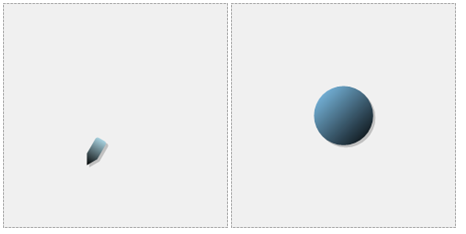
The topmost parts of this gauge are the pointer (**C1GaugePointer**) and the pointer cap (**C1GaugeCap**).
## See Also
[C1Gauge Properties](/componentone/docs/win/online-gauges/gaugesforwinformscom/c1gaugeobjectsandusa/c1gaugecontrol/c1gaugeproperties)