# Scrolling
FlexGrid for WinForms supports scroll bars and even lets you hide them or set scroll position. Know more about scrolling options provided by the grid here.
## Content
## Display or Hide the Scroll Bar
In FlexGrid, you can manage the display of scroll bars using the ScrollBars property which lets you choose whether to display horizontal, vertical, both or no scroll bar through the **ScrollBars** enumeration.
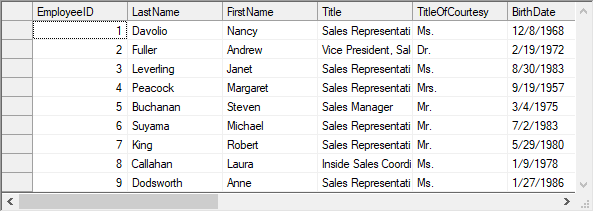
Below code shows how to always display both the scrollbars in the WinForms FlexGrid.
```csharp
// Display horizontal and vertical scroll bars
c1FlexGrid1.ScrollBars = ScrollBars.Both;
// Always display the scroll bars
c1FlexGrid1.ScrollOptions = ScrollFlags.AlwaysVisible;
```
```vbnet
' Display horizontal and vertical scroll bars
c1FlexGrid1.ScrollBars = ScrollBars.Both
' Always display the scroll bars
c1FlexGrid1.ScrollOptions = ScrollFlags.AlwaysVisible
```
## Set Scroll Position
To scroll FlexGrid to a specified location, you can set **TopRow** and **LeftCol** property of the C1FlexGrid class. **TopRow** property scrolls the grid vertically while **LeftCol** sets the horizontal scroll position of the grid. The maximum value of these properties depends on the total number of rows or columns and the count that can be displayed in the grid. This feature is really useful in scenarios like synchronized scrolling of multiple grids.
Use the code below to set scroll position of the WinForms FlexGrid.
```csharp
// Set the scroll position
c1FlexGrid1.TopRow = 3;
c1FlexGrid1.LeftCol = 2;
```
```vbnet
' Set the scroll position
c1FlexGrid1.TopRow = 3
c1FlexGrid1.LeftCol = 2
```
## Other Scroll Options
FlexGrid also provides more options to handle various aspects of displaying a scroll bar through **ScrollOptions** property. This property accepts the values from ScrollFlags enumeration which lets you customize the scroll bar options as described in the table below.
| Value | Scroll Operation |
| ----- | ---------------- |
| **AlwaysVisible** | Displays the scroll bar even when they are disable or there is no scrollable area. |
| **DelayedScroll** | Scrolls the content only after user has released the scrollbar thumb. |
| **KeepMergedRangePosition** | Can not set scroll position to the first cell of a merged range. |
| **None** | Uses the default scrolling behavior. |
| **ScrollByRowColumn** | Scrolls the content in units of rows or columns instead of scrolling by pixels. |
| **ShowScrollTips** | Fires the [ShowScrollTip](/componentone/docs/win/online-flexgrid/) event and displays a tooltip next to the vertical scrollbar while scrolling vertically. |
| **EnsureFirstVisible** | Aligns the targeted column/row to the left edge of the visible area. Only works when **ScrollByRowColumn** is enabled. |
Following code shows how to scroll the WinForms FlexGrid by rows or columns only.
```csharp
// Scroll in units of rows or columns
c1FlexGrid1.ScrollOptions = ScrollFlags.ScrollByRowColumn;
```
```vbnet
' Scroll in units of rows or columns
c1FlexGrid1.ScrollOptions = ScrollFlags.ScrollByRowColumn
```