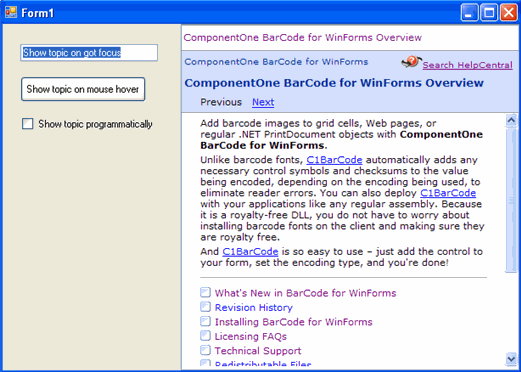
# Mapping a Topic to a Control at Design Time
## Content
Once a source Help file is specified, you can easily map topics to controls within your application through [C1DynamicHelp](/componentone/api/win/online-dynamichelp/dotnet-framework-api/C1.Win.C1DynamicHelp.4.8/C1.Win.C1DynamicHelp.C1DynamicHelp.html).
1. From the Toolbox, double-click the C1DynamicHelp control to add it to your form. An extender property, **Help Topic on C1DynamicHelp**, is added to all controls when C1DynamicHelp is added to the form.
2. Click the C1DynamicHelp smart tag () to open the **Tasks** menu.
3. Click the **ellipsis** button next to the [HelpSource](/componentone/api/win/online-dynamichelp/dotnet-framework-api/C1.Win.C1DynamicHelp.4.8/C1.Win.C1DynamicHelp.C1DynamicHelp.HelpSource.html) property.
4. Locate and select the desired Help file, and click **Open**.
5. Select one of the controls on your form and click the **ellipsis** button next to the **HelpTopic on C1DynamicHelp** property in the Properties window. The **Select Help Topic** dialog box appears and shows the **Table of Contents** tab and TOC from the specified Help file.
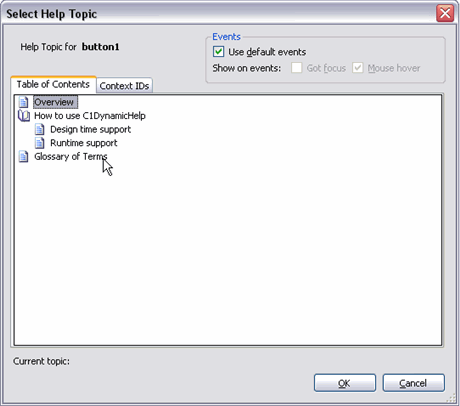
By default, the **Use default events** check box is selected (the selected options will vary by the control you’ve chosen to map to). **Got focus** sets the Help topic to display when the control has been selected; **Mouse hover** sets the Help topic to display when the control has been hovered over. To change the default options, clear the **Use default events** check box and select either the **Got focus** or **Mouse hover** check box.
* **If mapping to the TOC**: From the **Select Help Topic** dialog box, **Table of Contents** tab, choose a topic.
* **If mapping to the context ID list**: From the **Select Help Topic** dialog box, **Context ID** tab, choose the context ID/Topic pairing.
> type=note
> **Note**: In order to map to a topic, the topic must be in the Help TOC or have a context ID assigned to it; otherwise, it will not appear in the **Select Help Topic** dialog box. Also, if the Help author renames one of the TOC items, the mapping will break. You must get the updated Help and re-create the mapping with the updated TOC.
6. Click **OK** to close the **Select Help Topic** dialog box. The topic is mapped to the control and appears in the C1DynamicHelp Help window at run time when a user clicks or mouses over the control.