# Chart3DStyle Collection Editor
## Content
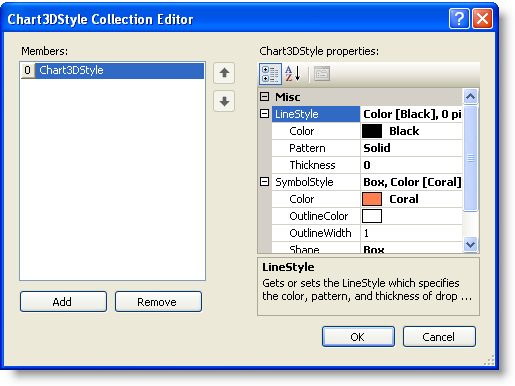
The **Chart3DStyle Collection Editor** allows the user to apply line styles and symbol styles to the 3D Chart.
### To access the Chart3DGroup Collection Editor:
1. Right-click on the **C1Chart3D** control and select **Properties** from its context menu.
2. In the Properties window, expand the **ChartGroups** node, then click on the **ellipsis** button next to the **ChartStyles** property.
The **Chart3DStyle Collection Editor** opens.
## See Also
[Chart3D Contour Collection Editors](/componentone/docs/win/online-chart3d/3dchartdesigntimesup/c1chart3dcollectione/c1chart3dcontourcoll)