# Edit the X and Y Axis
## Content
To edit the Axis Y and Axis X label names directly on the form, complete the following steps:
1. Select **Axis Y** on the **C1Chart** control. Click again inside the Axis Y vertical box. The horizontal text box appears for Axis Y.
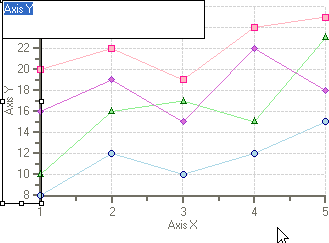
2. Type **Price** in the Axis Y textbox and press ENTER.
3. Select **Axis X** on the **C1Chart** control and click inside the horizontal box. The text box appears for the Axis X.
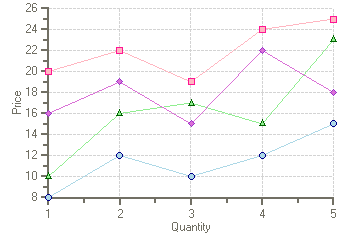
4. Type **Quantity** in the Axis X textbox and press ENTER.
Price appears on the Y axis label and Quantity appears on the X axis label.
## See Also
[Modify the Appearance of the Chart Footer](/componentone/docs/win/online-chart2d/chartforwinformstask/creatingandformattin1/modifytheappearanceo1)