Quickstart
In This Topic
This quick start gets you started with the DateEdit control by letting you create a WinForms application, add DateEdit control to it, and set a specific date in DateEdit.
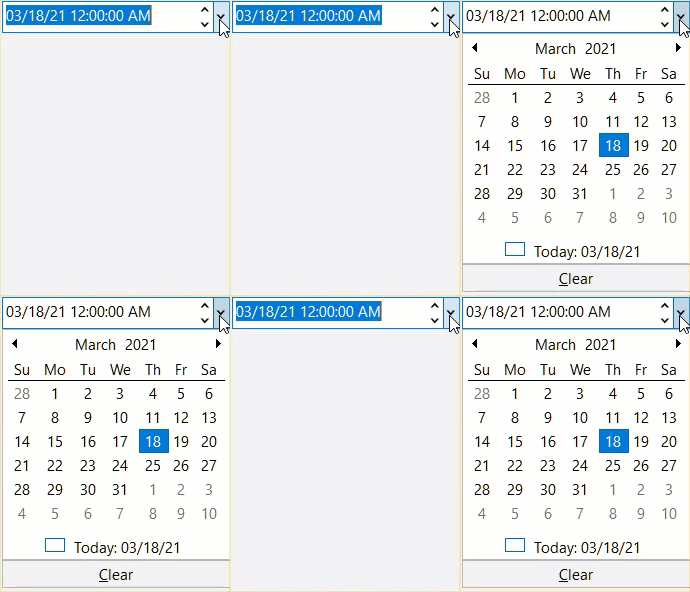
To quickly get started using the control, follow these steps:
Add DateEdit control
- Create a Windows Forms Application in Visual Studio.
- Add C1.Win.Calendar, C1.Win.Input and C1.Win assemblies (dependant assemblies for DateEdit control).
- Drag and drop the DateEdit control from the Toolbox to the application.
- Set the DateEdit's Name property to 'dateEdit' in the Properties window using C1DateEdit class. You can also initialize the DateEdit control in the code as given below:
C# Copy CodeC1DateEdit dateEdit = new C1DateEdit();
Configure DateEdit control
- Set the size and location for DateEdit control:
C# Copy Code// set DateEdit size and location dateEdit.Size = new System.Drawing.Size(150, 20); dateEdit.Location = new System.Drawing.Point(330, 126);
- Set the Value property to a particular date or time value using the Value property in the C1DropDownEditorBase class:
C# Copy Code// set the Value property to a date or time value. dateEdit.Value = new DateTime(2021, 01, 05);
Build and Run the Project
- Click Build | Build Solution to build the project.
- Press F5 to run the project.
Note: For .NET 5 applications, DateEdit control is available in the C1.Win.Calendar.5 assembly, but for .NET 4.5.2 applications, DateEdit control is available in both C1.Win.Calendar.4.5.2 and C1.Win.C1Input.4.5.2 assemblies.