# Legend

## Content


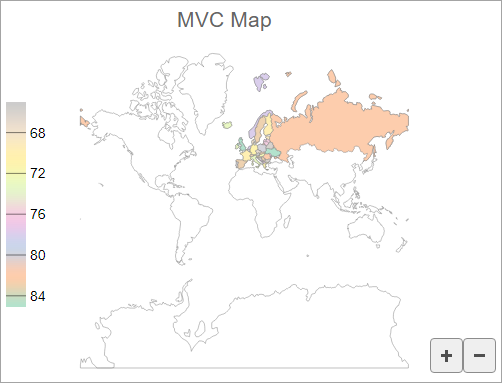
You can specify the position where you want to display the legend for the map using the **Legend** property. This property accepts the **Position** property as a parameter which sets the legend's position through **Position** enumeration.

The image below shows how the legend appears when you set the position of the legend to Left.
![MVC FlexMap with legend](https://cdn.mescius.io/document-site-files/images/9b6a6cfe-b8e8-42e9-8a04-da6cb7762977/images/flexmap-legend.png)

The following code example demonstrates how to set the position of a legend.

```INDEX
@using System.Drawing
<script>
    function colorScale(v) {
        return 1 - v;
    }
    function colorScaleBindingEurope(o) {
        return o.properties.name.charCodeAt(0);
    }
</script>
<c1-flex-map id="flexMap" header="MVC Map" height="400px" legend-position="Left">
    <c1-geo-map-layer url="/Content/data/land.json"></c1-geo-map-layer>
    <c1-geo-map-layer url="/Content/data/europe.json">
        <c1-color-scale colors="@C1.Web.Mvc.Chart.Palettes.Qualitative.Pastel2" scale="colorScale" binding="colorScaleBindingEurope"></c1-color-scale>
    </c1-geo-map-layer>
</c1-flex-map>
```