# Date Validation
## Content
The **InputDateRange** control has a built-in validator named **ItemValidator** that lets you control the type of data or the value that users select from the drop down calendar. All you need to do is create a validation function and assign it to the ItemValidator to allow or restrict the selection of dates by the user.
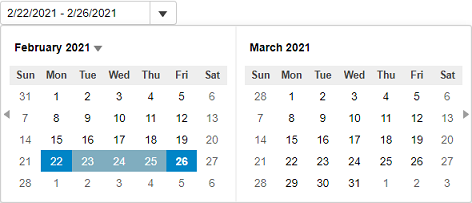
The following code examples demonstrate how to add ItemValidator in the InputDateRange control. In this example, ItemValidator is created so that a user can select a weekday, but not Saturdays and Sundays (weekend). This kind of validation is useful while planning your work sprints, workout days or diet plan.
#### View Code
```razor
@{
var today = DateTime.Now.Date;
var rangeEnd = today.AddDays(4);
var minDate = new DateTime(today.Year, 1, 1);
var maxDate = new DateTime(today.Year, 12, 31);
}
```