# Elements
## Content
# Navigation Elements
## Page Navigation
FlexViewer provides page navigation controls for moving through documents.
Users can:
* move to the next or previous page
* jump to the first or last page
* enter a page number directly
## Thumbnails
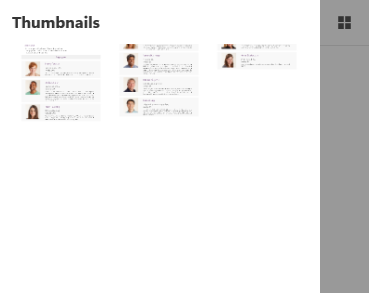
The thumbnails panel displays preview images of document pages and allows quick navigation between pages.
Users can:
* preview document pages
* navigate by selecting a page thumbnail
* identify page content visually
## Outlines
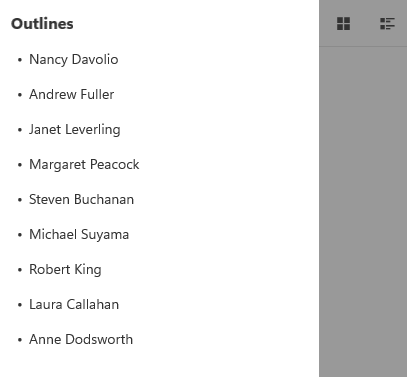
The outlines panel displays the document structure in a hierarchical format.
Users can:
* navigate document sections
* expand or collapse outline nodes
* quickly access bookmarked content
# View Elements
## Zoom Controls
FlexViewer provides built-in zoom controls for adjusting document magnification.
Supported zoom operations include:
* Actual Size
* Page Width
* Whole Page
* Ctrl + Mouse Wheel
* keyboard shortcuts
>type=note
> Note: Keyboard shortcuts for zoom operations are currently supported only on Android.
## Rotation Controls
FlexViewer provides controls for rotating document pages.
Users can:
* rotate pages clockwise
* rotate pages counterclockwise
Rotation is applied consistently across all pages in the document.
# Content Interaction Elements
## Report Parameters
FlexViewer supports parameter-based filtering for FlexReport and SSRS reports.
Users can:
* enter parameter values
* filter report data
* refresh reports using updated parameters
## Text Selection and Highlighting
FlexViewer supports selecting, highlighting, and copying text within the document viewer.
>type=note
> Note: Text selection and highlighting are currently supported only on Android.
## Cursor Feedback
FlexViewer provides visual cursor indicators during document interaction.
Supported cursor indicators include:
* hand cursor
* AutoScroll cursor
* I-beam cursor
>type=note
> Note: Cursor feedback is currently supported only on Android.
# Keyboard Shortcuts
FlexViewer supports keyboard shortcuts for document navigation and zoom operations.
Examples include:
* `Ctrl + Plus`
* `Ctrl + Minus`
* `Ctrl + Mouse Wheel`
>type=note
> Note: Keyboard shortcuts are currently supported only on Android.