# Pie Charts
## Content
Pie charts, the most common tools used for data visualization, are circular graphs that display the proportionate contribution of each category which is represented by a pie or a slice. The magnitude of the dependent variable is proportional to the angle of the slice. These charts can be used for plotting just one series with non-zero and positive values.
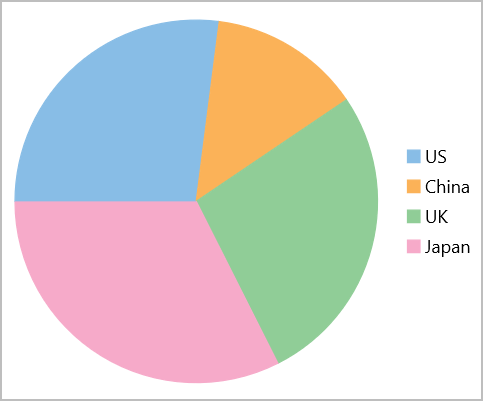
### Create a Pie Chart
Pie chart is represented by the [FlexPie](/componentone/api/maui/online-maui/dotnet-api/C1.Maui.Chart/C1.Maui.Chart.FlexPie.html) class in FlexChart. To create a Pie chart through code, follow these steps:
1. In XAML, initialize the FlexPie control and configure the X and Y axes by setting the [BindingName](/componentone/api/maui/online-maui/dotnet-api/C1.Maui.Chart/C1.Maui.Chart.FlexPie.BindingName.html) and **Binding** properties, respectively. Then set up the data source through the **ItemsSource** property., as showcased in the following code:
```xml
```
2. Switch to C# and use the following code to create the data source for the chart.
```csharp
public class DataItem
{
public string Country { get; set; }
public double Q1 { get; set; }
public double Q2 { get; set; }
public double Q3 { get; set; }
public double Q4 { get; set; }
}
List data = CreateData();
public List Data => data;
public static List CreateData()
{
var countries = new string[] { "US", "China", "UK", "Japan" };
var count = countries.Length;
var result = new List();
var rnd = new Random();
for (var i = 0; i < count; i++)
result.Add(new DataItem()
{
Country = countries[i],
Q1 = rnd.Next(20),
Q2 = rnd.Next(20),
Q3 = rnd.Next(20),
Q4 = rnd.Next(20)
});
return result;
}
```