# Series
## Content
Series is a set of related data points that are plotted on a chart. By default, FlexChart displays a column chart with dummy data series at design-time. However, you need to provide the control with data to render the chart at runtime.
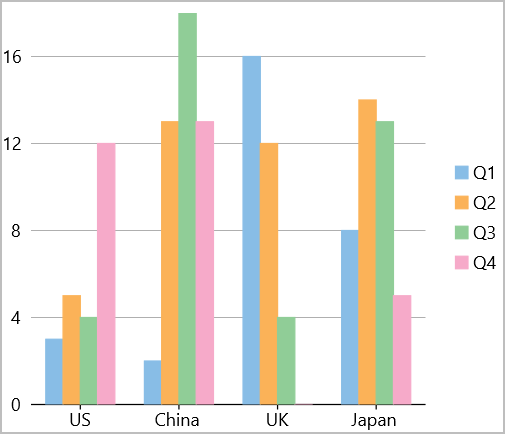
In FlexChart, a series is represented by the **Series** class. Although, axis and chart type related properties are generally set on the whole chart, FlexChart also provides you AxisX, AxisY, ChartType, DataSource etc. for each series as well. This is helpful in scenarios such as rendering mixed charts, multiple axes etc. The **Series** class also provides the **SeriesName** property whose text value represents that chart series in the legend. In case of line chart and area chart, you can also handle the null values in data to avoid gaps in plotting the chart series by setting the **InterpolateNulls** property to true.
## Add Series
FlexChart lets you add series using the following code:
```xml
```
Following code creates data for the chart:
```csharp
public class DataItem
{
public string Country { get; set; }
public double Q1 { get; set; }
public double Q2 { get; set; }
public double Q3 { get; set; }
public double Q4 { get; set; }
}
List data = CreateData();
public List Data => data;
public static List CreateData()
{
var countries = new string[] { "US", "China", "UK", "Japan" };
var count = countries.Length;
var result = new List();
var rnd = new Random();
for (var i = 0; i < count; i++)
result.Add(new DataItem()
{
Country = countries[i],
Q1 = rnd.Next(20),
Q2 = rnd.Next(20),
Q3 = rnd.Next(20),
Q4 = rnd.Next(20)
});
return result;
}
```