# Activation on a Mac
## Content
### Prerequisites
Ensure that the .NET SDK is installed before installing the licensing tools.
#### Install .NET SDK
Choose one of the following methods:
1. **Official Installer**
Download and install the latest .NET SDK from the Microsoft .NET website.
2. **macOS (Homebrew)**
```auto
brew install --cask dotnet-sdk
```
#### Verify Installation
Restart the terminal and run:
```auto
dotnet --version
```
### Install ComponentOne Controls
Before installing the licensing tools, install at least one ComponentOne control.
1. Download and install **ComponentOne Control Panel**.
2. Open the Control Panel.
3. Install any ComponentOne control.
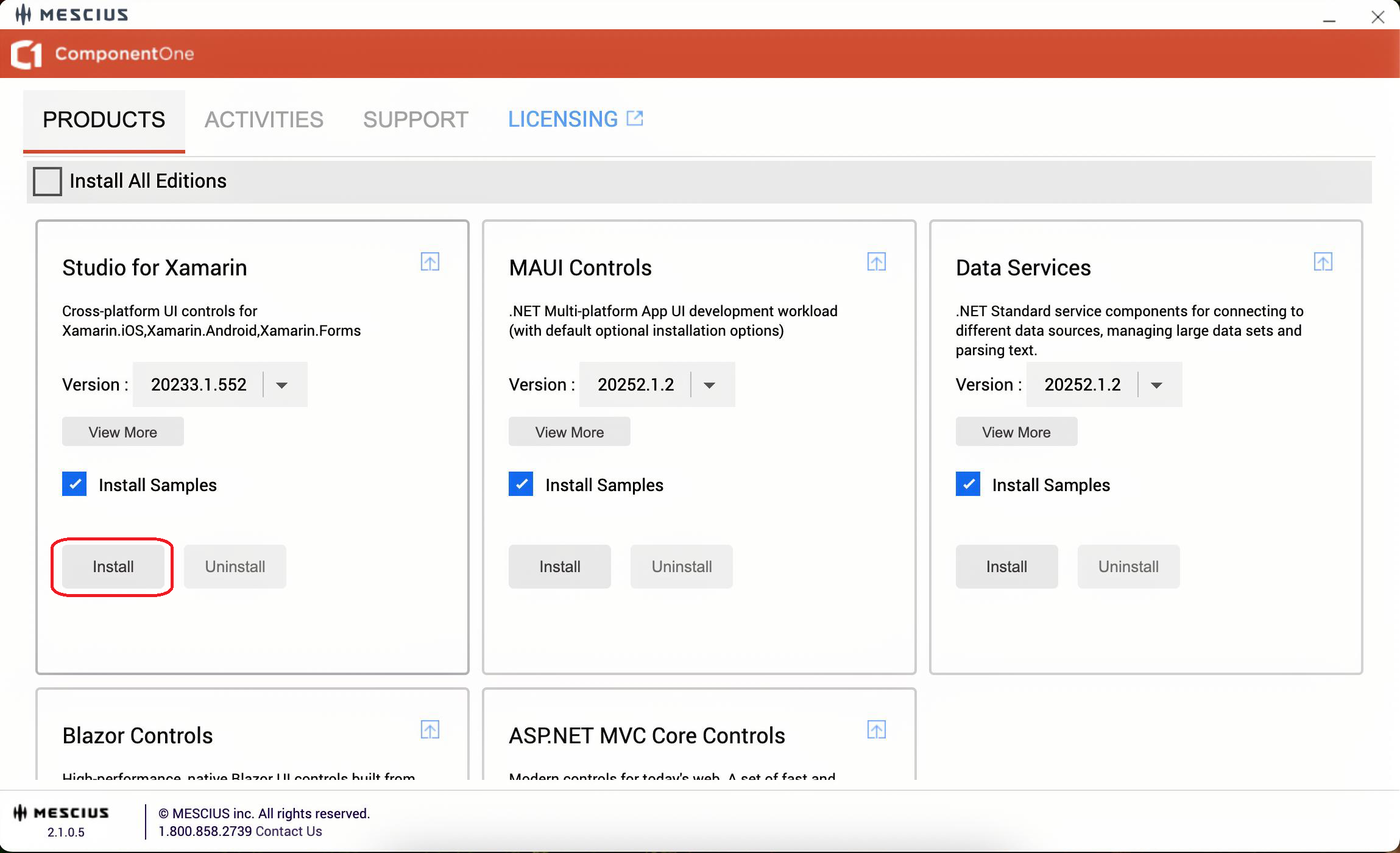
This ensures that the required components are available before license activation.
## Install SA3 Client
Run the following command:
```auto
dotnet tool install -g sa3client
```

### Troubleshooting: Command Not Found
If the sa3client command is not recognized:
```auto
export PATH="$PATH:$HOME/.dotnet/tools"
```
Restart the terminal and run the command again.
## Activate a Serial Key on macOS
ComponentOne supports serial key activation on macOS using command-line licensing tools.
When a project that references ComponentOne NuGet packages is built for the first time, a 30-day evaluation license is applied automatically. A valid serial key is required to continue development and generate licensed builds.
1\. Open the Terminal.
2\. List installed products and license status:
```auto
sa3client list
```

3\. Activate the serial key:
```auto
sa3client a
```
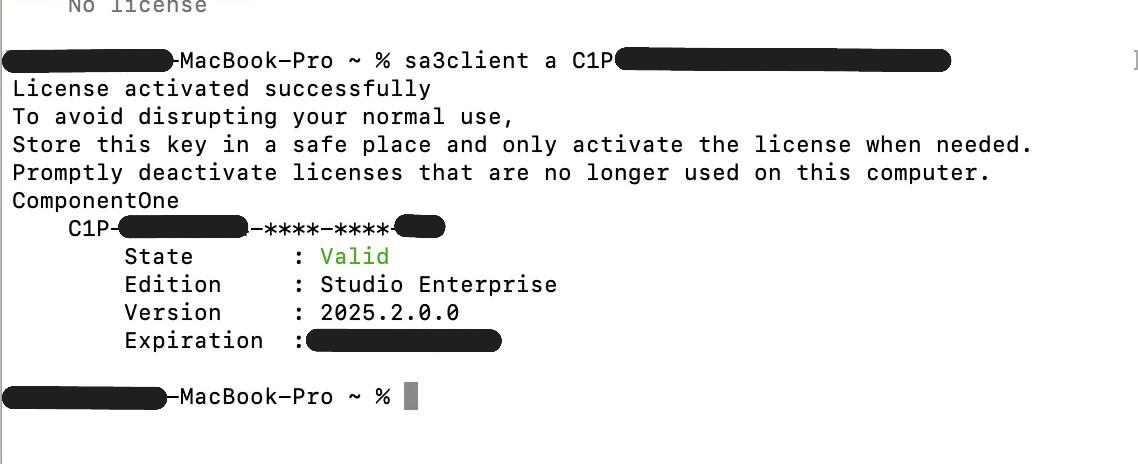
If activation succeeds, the tool displays a confirmation message.
After activation, building the application generates a unique runtime license file (.sa3licx) in the build output (for example, obj/Debug or obj/Release) and embeds it as a resource in the application. This file is used at runtime to validate the license.
### Deactivation
1\. List installed licenses:
```auto
sa3client list
```
2\. Note the serial key prefix\.
3\. Deactivate the license:
```auto
sa3client d
```

### Offline Activation
1\. Generate an offline activation request:
```auto
sa3client a -o activation-request.txt
```
2\. Go to the MESCIUS License Management website [https://sa3.mescius.com/](https://sa3.mescius.com/) and select **Activation**.
3\. Upload or paste the contents of activation-request.txt.
4\. Save the returned license text to a file and import it:
```auto
sa3client import license.txt
```
### Offline Deactivation
1\. Generate an offline deactivation request:
```auto
sa3client deactivate -o deactivation-request.txt
```
2\. Go to the MESCIUS License Management website and select **Deactivation**.
3\. Upload or paste the contents of the request file to release the activation\.
## Install GCLM (GrapeCity License Manager)
Run the following command:
```auto
dotnet tool install -g GrapeCity.LicenseManagerTool
```
### Troubleshooting: Command Not Found
If the gclm command is not recognized:
```auto
export PATH="$PATH:$HOME/.dotnet/tools"
```
Restart the terminal or reload the profile, then run the command again.
## Activate a Serial Key on macOS (GCLM)
1\. Open the Terminal.
2\. List installed products and their indexes:
```auto
gclm
```
3\. Identify the product index\.
4\. Activate the serial key:
```auto
gclm [Index] -a
```
If activation succeeds, the tool displays a confirmation message.
After activation, building the application generates a runtime license file (.gclicx) in the build output (for example, obj/Debug or obj/Release). This file must be distributed with the application.
### Offline Activation (GCLM)
1\. Generate an offline activation request:
```auto
gclm [Index] -g serialkey.txt
```
2\. Go to the MESCIUS License Management website (https://sa2.mescius.com/) and select **Activation**.
3\. Enter the activation key from serialkey.txt.
4\. Save the generated license text to a file and import it:
```auto
gclm [Index] -i license.txt
```
### Deactivation (GCLM)
1\. List installed products:
```auto
gclm
```
2\. Identify the product index\.
3\. Deactivate the license:
```auto
gclm [Index] -d
```
A serial key can be activated on up to two development machines.
### Offline Deactivation (GCLM)
1\. Generate a deactivation request:
```auto
gclm [Index] -d deactivation-key.txt
```
2\. Go to the MESCIUS License Management website and select **Deactivation**.
3\. Paste the deactivation key to free the activation\.