# Selection Modes
Manage how the items are selected in the ListView control. Learn more about the selection modes supported in ListView in Blazor documentation.
## Content
By default, ListView allows you to select a single item from the displayed list. However, you can choose to select a range of items using [SelectionMode](/componentone/api/blazor/online-blazor/dotnet-api/C1.Blazor.ListView/C1.Blazor.ListView.C1ListView-1.SelectionMode.html) property of the [C1ListView](/componentone/api/blazor/online-blazor/dotnet-api/C1.Blazor.ListView/C1.Blazor.ListView.C1ListView-1.html) class. The [SelectionMode](/componentone/api/blazor/online-blazor/dotnet-api/C1.Blazor.ListView/C1.Blazor.ListView.C1ListView-1.SelectionMode.html) property manages how the items are selected in the ListView control and accepts values from the [C1SelectionMode](/componentone/api/blazor/online-blazor/dotnet-api/C1.Blazor.Core/C1.Blazor.Core.C1SelectionMode.html) enumeration which specifies the selection behavior of the ListView control. It allows you to disable the selection, select a single item or a multiple items.
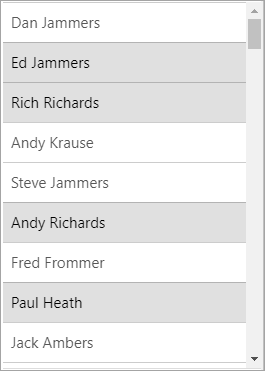
The following code shows the selection of multiple items in the ListView control. This example uses the Customer class created in the [Virtualization](/componentone/docs/blazor/online-blazor/controls/listview/listview-data-binding/virtualization) topic.
```razor
@using C1.Blazor.ListView
@code
{
IEnumerable customers;
protected override void OnInitialized()
{
customers = Customer.GetCustomerList(100);
}
}
```