# Data Labels
You can add labels to display the value of each data point.
## Content
Data labels are the labels associated with the data points, generally, displaying the value of those data points. They are especially useful in the charts where it is difficult to know the exact value of data points by simply looking at them.
You can add labels to display the value of each data point by using [Label](/componentone/api/blazor/online-blazor/dotnet-api/C1.Blazor.Chart/C1.Blazor.Chart.FlexChart.Label.html) property of the [FlexChart](/componentone/api/blazor/online-blazor/dotnet-api/C1.Blazor.Chart/C1.Blazor.Chart.FlexChart.html) class and specify the position where you want to display your labels using [Position](/componentone/api/blazor/online-blazor/dotnet-api/C1.Blazor.Chart/C1.Blazor.Chart.DataLabel.Position.html) property of the [DataLabel](/componentone/api/blazor/online-blazor/dotnet-api/C1.Blazor.Chart/C1.Blazor.Chart.DataLabel.html) class. The **Position** property sets the position for data labels using the [LabelPosition](/componentone/docs/blazor/online-blazor/) enumeration.
The image below shows how labels appear on each data point on the FlexChart. 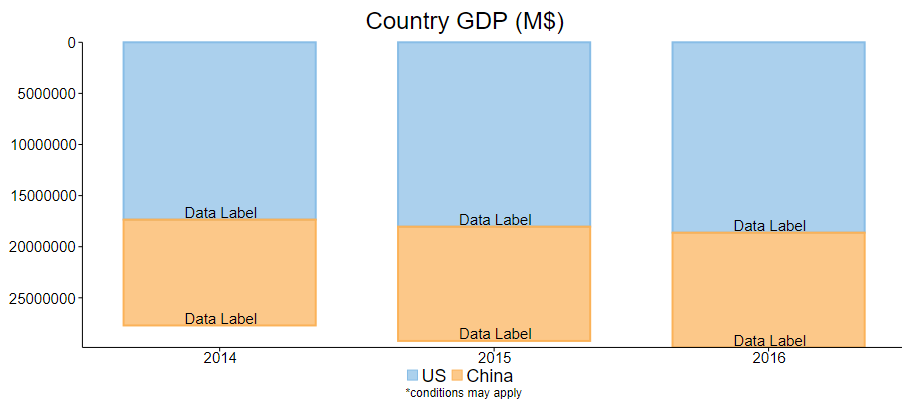
The following code example demonstrates how to add labels to the FlexChart. This example uses the sample created in the Quick Start section.
```razor
```