# Calendar
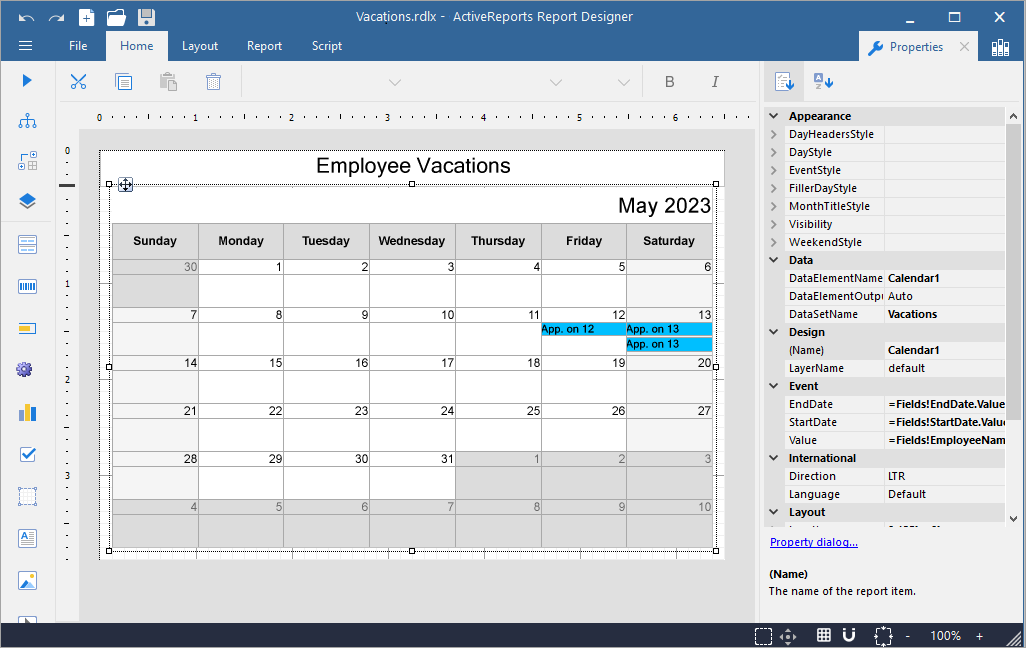
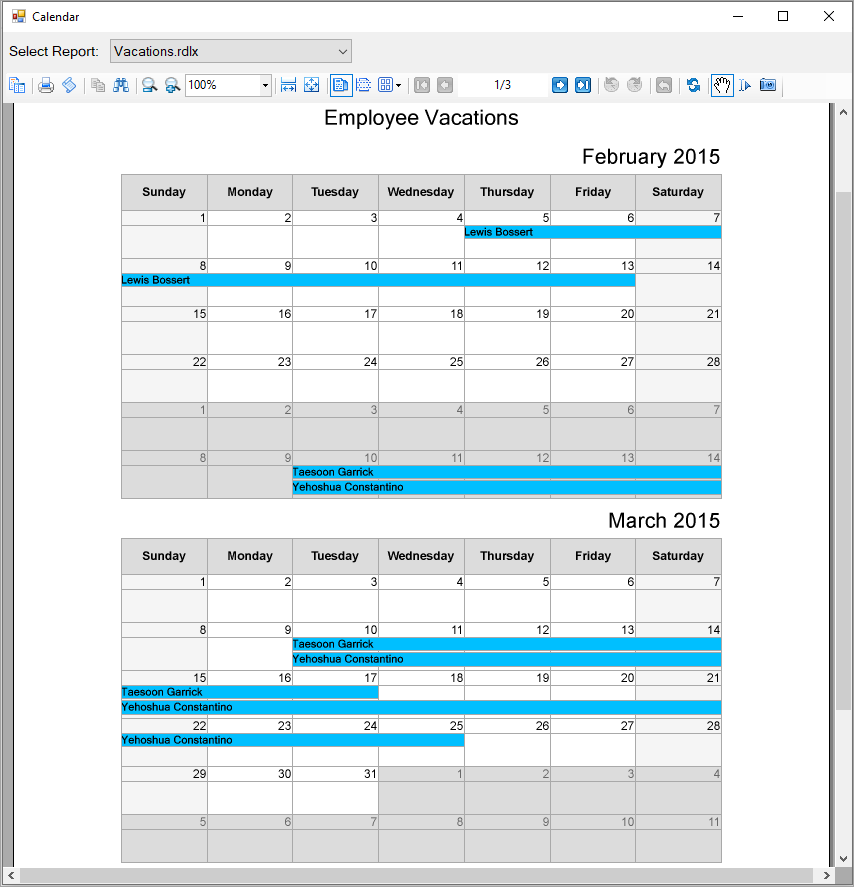
This sample illustrates how to use the data region for displaying date-based data or events in a calendar format.
## Content
The Calendar control is now moved to samples to allow customers to continue using this data region for displaying date-based data or events in a calendar format.
### Sample Location
[https://github.com/activereports/Samples19/tree/main/Advanced/PageAndRDLX/Calendar](https://github.com/activereports/Samples19/tree/main/Advanced/PageAndRDLX/Calendar)
### Details
This sample consists of following projects; all data and files are taken from the Calendar data region itself:
* CalendarComponent: It implements **ICustomReportItem** interface to render Calendar, **IDataRegion** interface for data binding, and **IImageRenderer** interface to render calendar content range to the canvas.
* CalendarDesigner: The designer is inherited from **CustomReportItemDesigner** class. It implements property initialization, glyph drawing, and evaluation utils.
* TestDesignerPro: This is the default start up project. On running this project, an RDLX report with a calendar is displayed on the designer. You can also drag and drop and use the Calendar data region available on the toolbox.
* TestViewer: On running this project, a calendar is rendered on Windows Forms Viewer.
* Tests: It contains code for proper functioning of the sample.
Customers who are required to use calendar should now compile and distribute **CalendarComponent** and **CalendarDesigner** assemblies. Binding should be done through ActiveReports.config file (see test applications).