# Submitting a Reactivation Request
To fix the issues with the serial key while activating a license, you need to raise a reactivation request, as explained in this topic.
## Content
If you get error messages during activation and cannot resolve it by yourself, you need to submit a reactivation request on [license website](https://sa2.mescius.com) using the following steps and wait for approval.
1. Go to the [license website](https://sa2.mescius.com). Click the **Reactivation** button.
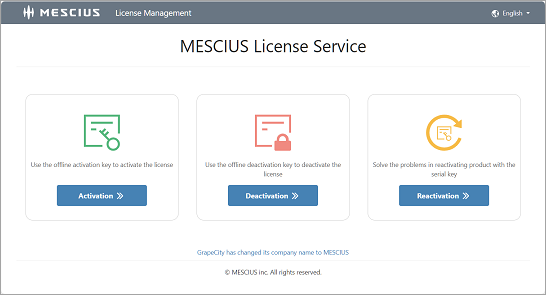
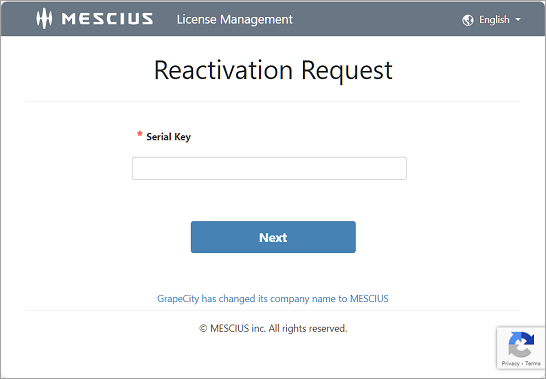
2. In the **Reactivation Request** page, input the serial key which has errors and click **Next**.
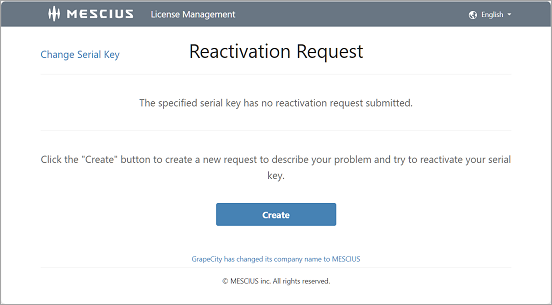
3. In the next page, click the **Create** button to create a new request. However, in case you have submitted a reactivation request for this serial key before, the last reactivation request will appear on the page which might be in progress, done, or expired.
4. In the **Create Reactivation Request** page, fill all the answers and click the **Submit** button to submit your request.
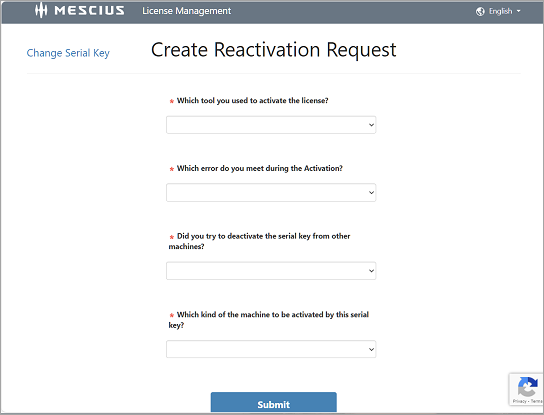
This creates a new request. You can refresh the webpage later to view the updates.
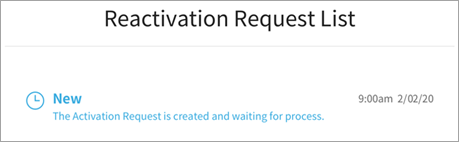
### View the request result
You can go back to the page after about 5~10 minutes to view the result.
* If the web browser is closed, you can go to the reactivation link, and input the serial key again to navigate to the reactivation request page.
If the request may have been approved, you can use the serial key to activate the product this time.
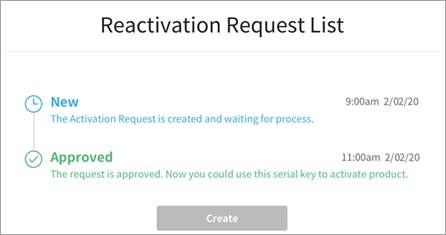
In some cases, you may see problems with the request displayed as a warning message. Then, you need contact MESCIUS sales or support by email or telephone, introduce the situation and describe how you want to use the product.
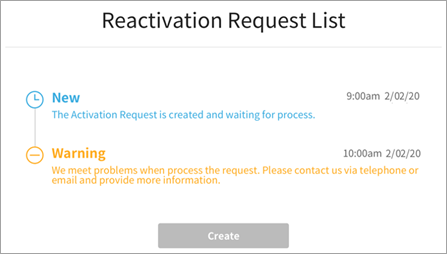
As a result, the sales or supports will approve or reject the reactivation request depending on the actual usage of the serial key.
If your request gets approved, then the updated page will look like the following:
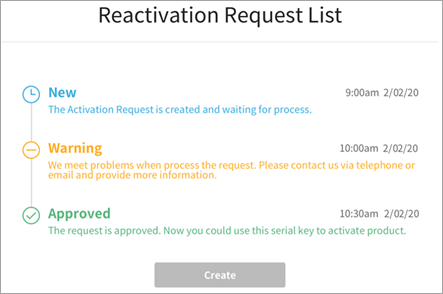
If your request gets denied, then the updated page will look like the following:
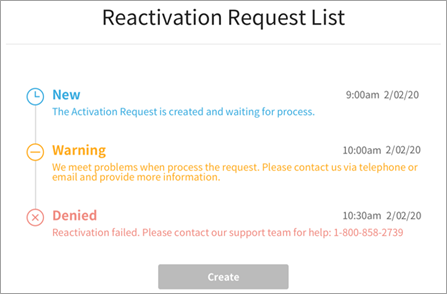
Also, the requests expire after 15 days so you need to contact us in time so that the request can be processed by our support team. If you still face any issues, please submit a new request.